
Big Planning Module Update: Easier Song Uploads, Smarter Plan Pages & Dark Mode
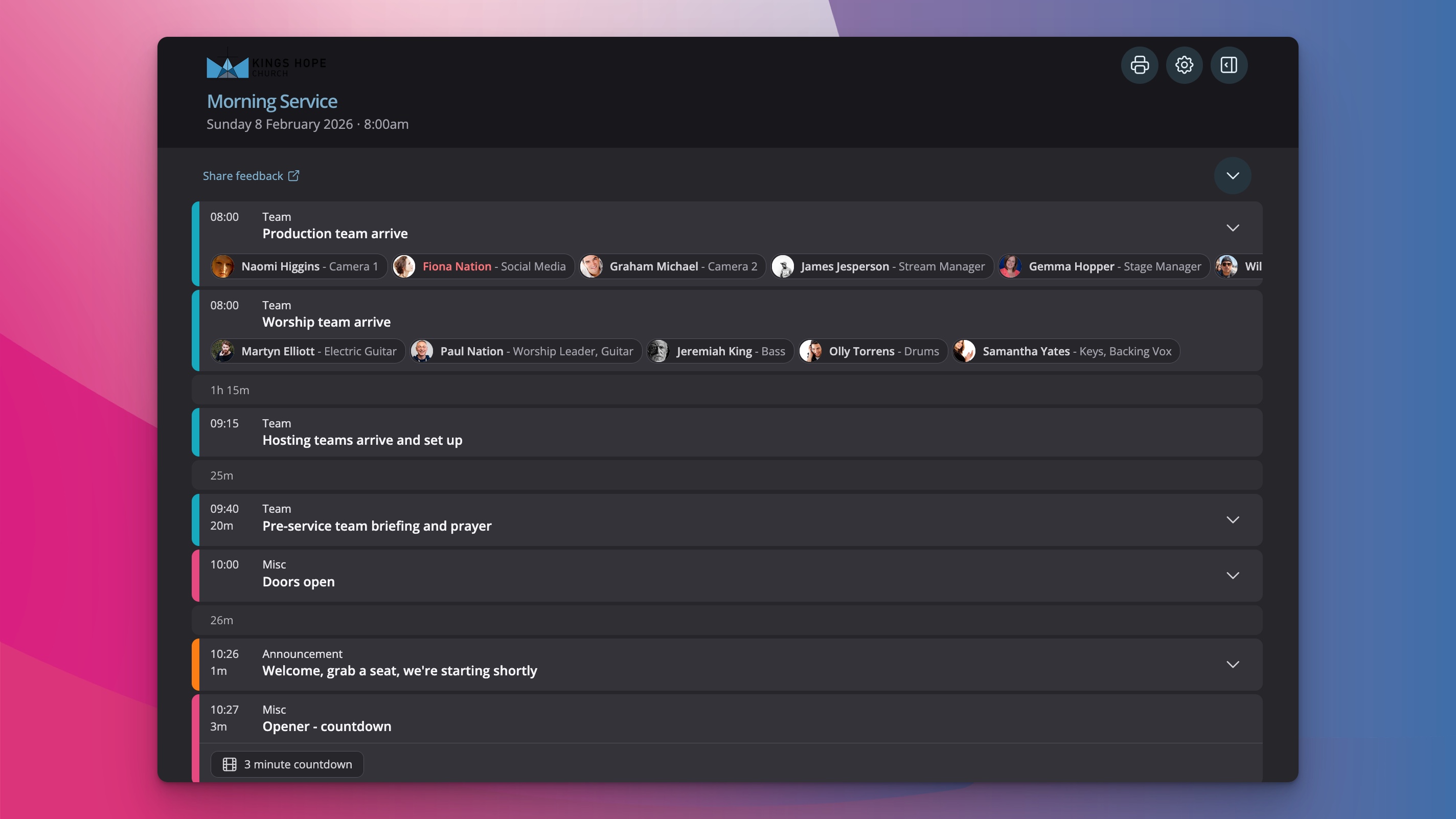
The recent updates to the Planning module in ChurchSuite bring some powerful new capabilities for managing songs and plans. These enhancements are now fully available to all customers, making it easier than ever to build your song library and prepare for services.
Easier song imports with bulk upload support
Adding songs to your ChurchSuite library has been significantly streamlined. When you go to the Songs page in the Planning module and choose to add a new song, you'll now see an Upload tab alongside the usual options.
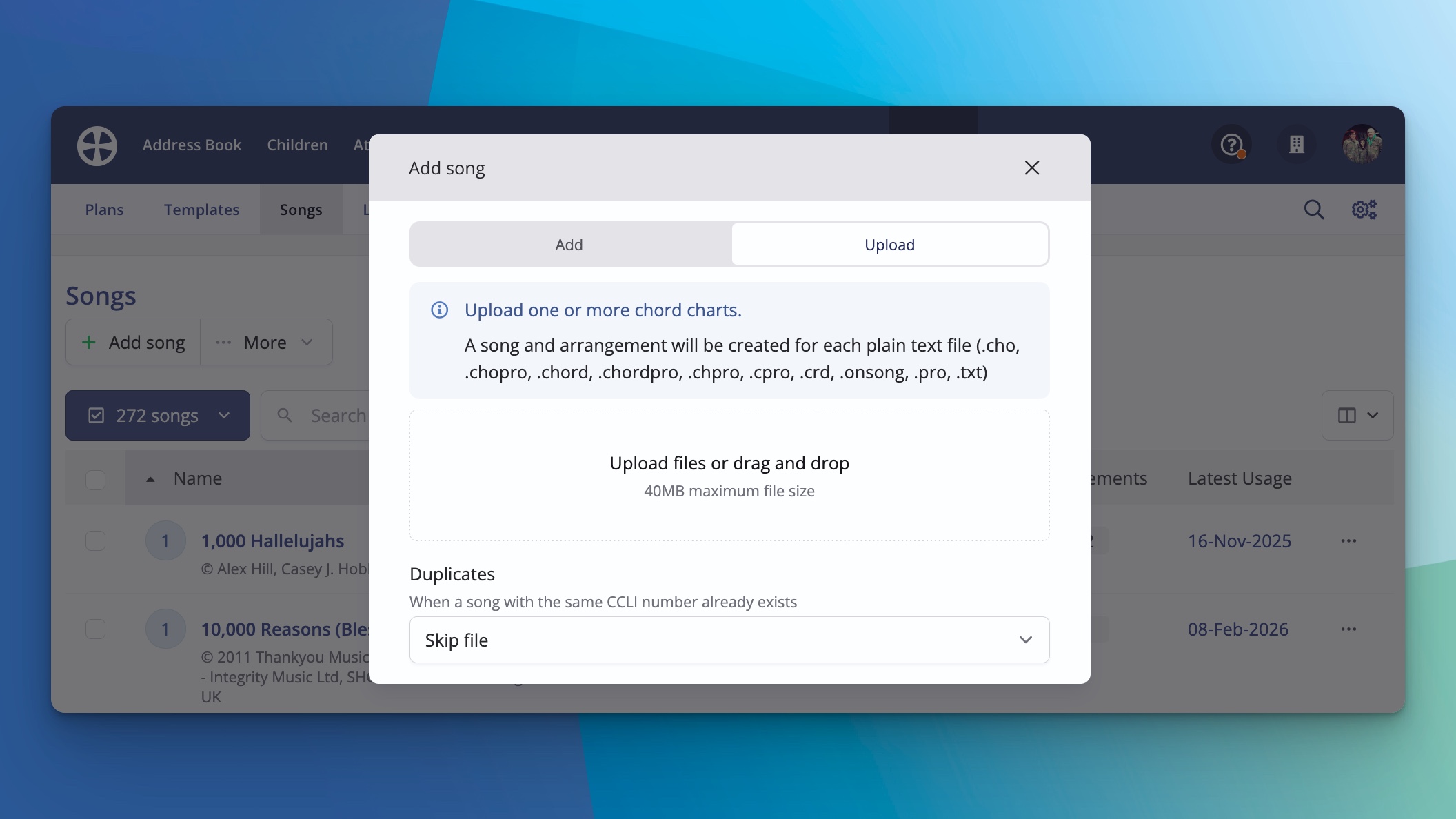
This lets you drag and drop one or more chord chart files directly into ChurchSuite. The system supports plain text formats, including those exported from apps like OnSong, as well as ChordPro files (for example, from SongSelect or similar sources).
When you upload:
Lyrics and chords import automatically.
Metadata such as publisher information comes across where available in the file.
You can upload multiple files at once for bulk addition, saving a huge amount of time when migrating or expanding your library.
Combined with the recently rebuilt chord chart editor—which now handles ChordPro rendering, whitespace charts, square bracket notation, and Numbers chord progression notation beautifully—these changes make migrating your worship team's resources into Planning much simpler.
Revamped plan pages with more flexibility and control
The plan pages have received a major overhaul, while keeping a familiar feel for those used to the previous version.
Key improvements include:
Customisable views — Use the arrow at the top to expand all sections, or just expand the ones you need. At the very top of the page, you can use the cog wheel button to select exactly which pieces of information to display.
Theme options — Choose light mode, dark mode, or let it automatically match your device's preference (set in Settings). Dark mode is now available on the new plan pages for a more comfortable viewing experience, especially in lower-light environments.
Expanded item details — Click any item in the plan to see key information. For songs, this opens the chart with options to transpose, switch between letter chords or Nashville numbers, adjust lyric size, hide lyrics, or customise display.
PDF previews — If a PDF (such as an uploaded file for a song or other item) is attached, you can view it full-width, zoom and pan, or scroll page-by-page.
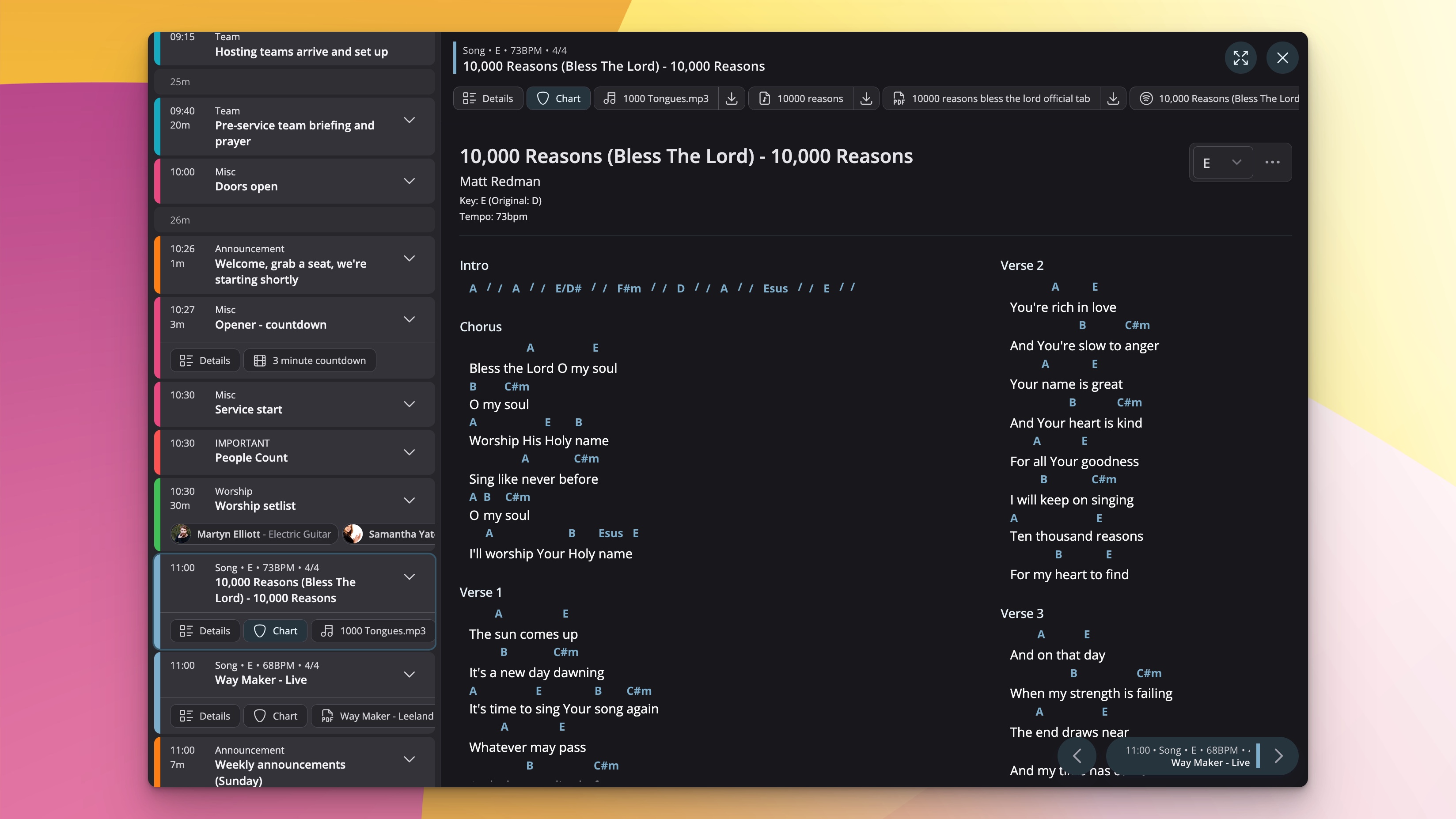
Split view — Click the icon at the top to open a side-by-side layout: an aggregated list of all plan items on the left, with detailed view of the selected item on the right.
Navigation aids — Use cursor keys (or connected pedals) to move forward/backward through items—ideal for worship leaders during a service.
These features have been well received during testing, with churches sharing positive feedback about how much smoother planning and leading have become.
We're excited to make these available to everyone and see how they help your teams. This is just the start—there are plenty more improvements in the pipeline for the Planning module.
If you haven't explored the new options yet, head to your Planning module and give them a try. As always, feel free to reach out to support with any questions or suggestions.