Managing Notes Just Became A Little Easier
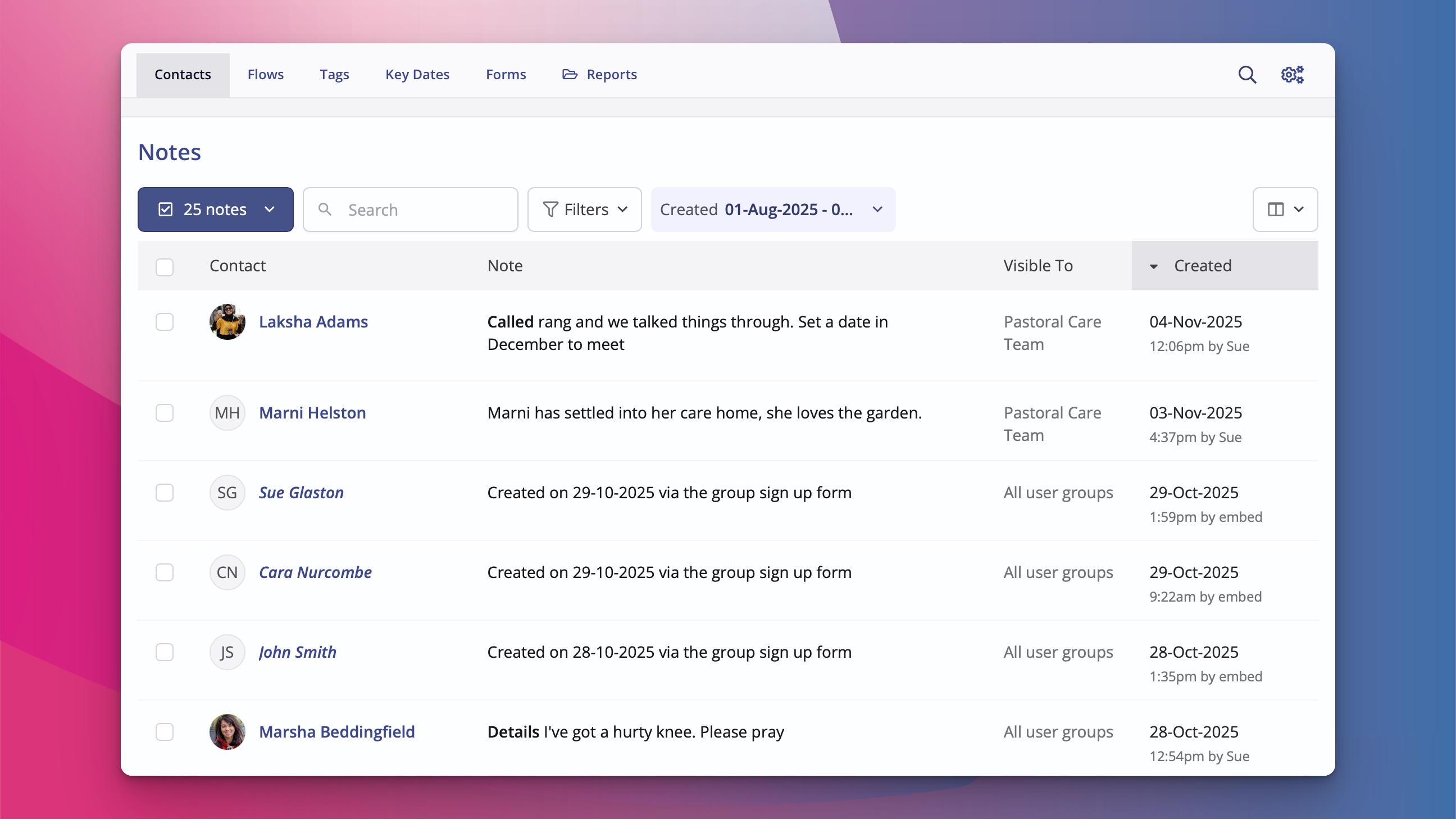
In the ever-evolving world of church administration, staying on top of your records can sometimes feel like sifting through an old filing cabinet. That's why we built Notes—a key tool for pastoral care, for capturing those invaluable insights and key follow-ups. Today, we're excited to let you know about some enhancements. Say hello to the new Notes page—a dedicated space designed to make handling your notes even more straightforward and efficient.
What's New with the Notes Page?
Building on the Notes report that many users are familiar with, we're introducing new functionality, empowering you to search, bulk edit, download, or delete notes with greater ease. Whether you're gearing up for a data cleanse or dealing with data access compliance, this update puts everything at your fingertips.
The notes page allows you to:
Search and filter your notes
Download to CSV - for instance, when you're having to deal with data access compliance
Edit - great for making bulk changes such as applying a visibility restriction
Delete - to help you cleanse your data and delete unwanted notes.
How to Access It
There are two main ways to access the new notes page:
Navigate to More → "View notes" from key areas like Contacts, Children, Events, Bookings, Customers, Givers, Ministries, Groups, or Plans.
Or, when viewing an individual record, spot the handy "View all" button right within the Notes section - this opens the Notes page with a filter for the relevant record pre-selected:
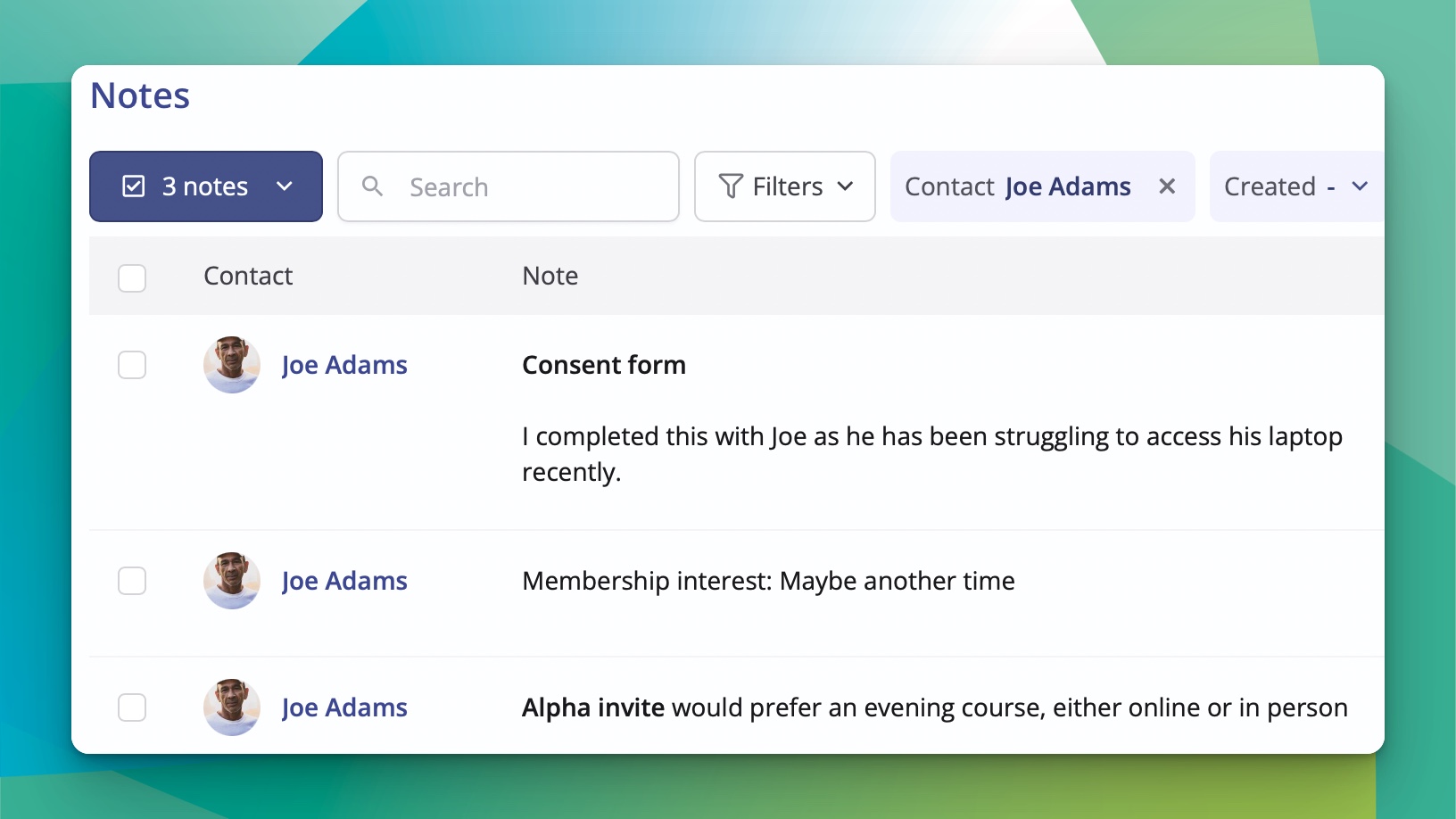
This centralised approach means less time hunting for the right note and more time focusing on what matters—building connections in your community. For more information and a deeper dive into note visibility settings and best practices, check out our support article: Notes and note visilbility.